
Checklist items are individual tasks or steps within a checklist. You can create specific checklist items for each page on your website.
To Select a Theme for Checklist Item:
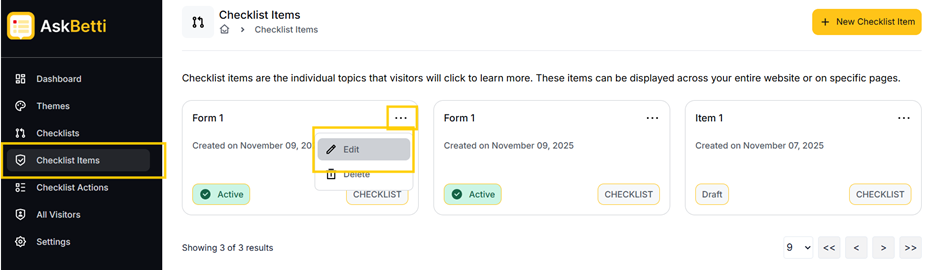
- Go to the Checklist Items section in the main menu. Here you will see a list of your existing checklist items.
- You can select a theme by clicking on the three dots in the top right corner of the item name.
- You’ll see the options to Edit, and Delete. Select Edit
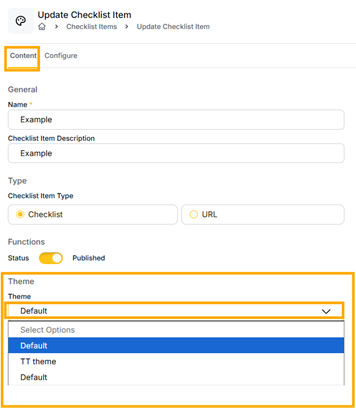
- Click on the Select Options under Theme, select your desired theme.
Click on Save or Save & Close.
If you have any questions or need further assistance, please contact our support team.