
You can manage Profiles, Integrations, Subscription, and Extension Configuration
To Integrate a Checklist:
- Go to the Settings section in the main menu.
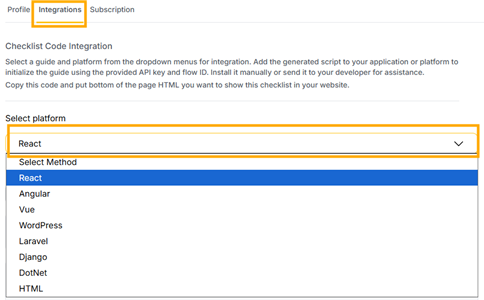
- Click on the Integrations tab.
- Select platform: Choose the platform your website is built on from the dropdown menu. Options include React, Angular, Vue, WordPress, Laravel, Django, DotNet, and HTML.
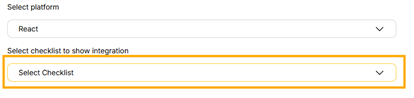
- Select checklist: From the next dropdown, choose the specific checklist you want to add to your website.
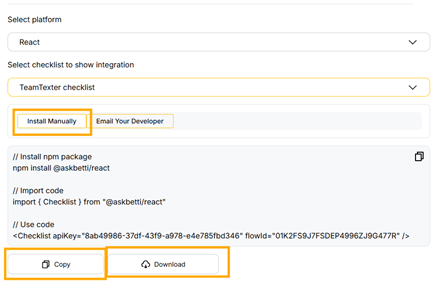
- Once you choose your platform and checklist, the code you need will appear below. You can get this code in two ways:
- Install Manually: Copy the npm package we provide, import the code and checklist component, and make sure to include your unique API key and flow ID. Then, paste this code into your website’s HTML page or development environment.
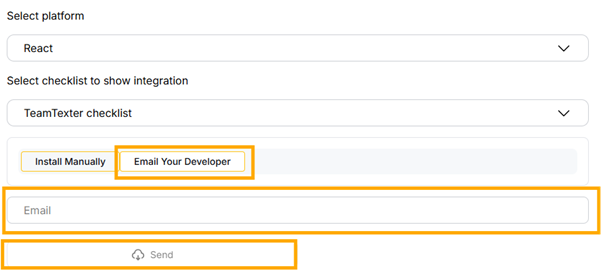
- Email Your Developer: If you are not a developer, click on Email Your Developer. You’ll see a field where you can enter your developer’s email address. The integration details will be sent directly to them for installation.
If you have any questions or need further assistance, please contact our support team.