
You can manage Profiles, Integrations, Subscription, and Extension Configuration in Settings.
To Change Password:
- Go to Settings in the main menu.
- Select Change Password under PROFILE.
- Enter your Old Password first.
- Create a new password by entering it in the New Password field
- Confirm it in the Confirm Password field.
- Your new password must be at least 6 characters long and include at least one uppercase letter and one number.
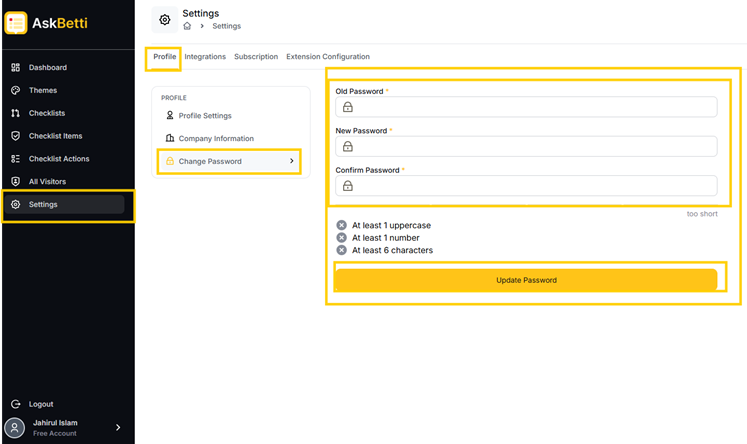
- Click on Update Password.
If you have any questions or need further assistance, please contact our support team.