
Extension users are accounts that can be used with the browser extension. They can be added individually or imported in bulk.
To delete extension user:
Go to Settings.
Click on Extension Configuration tab. Here you will see a list of existing users.
Click the three-dots icon (...) in the Actions column for the user you want to delete.
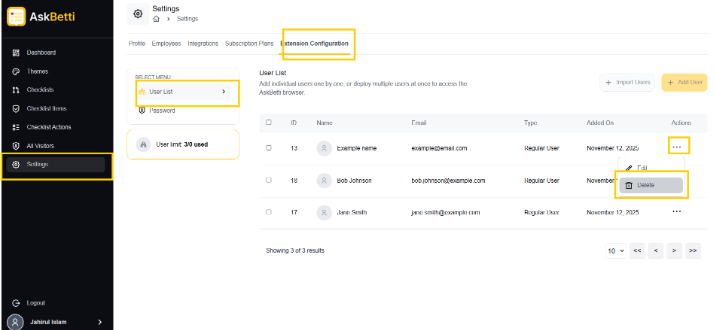
Click on delete.
Click on Yes to confirm.
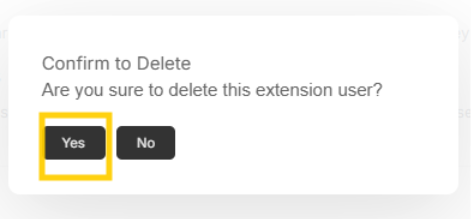
Extension user will be deleted
If you have any questions or need further assistance, please contact our support team.