
Extension users are accounts that can be used with the browser extension. They can be added individually or imported in bulk.
To create extension password:
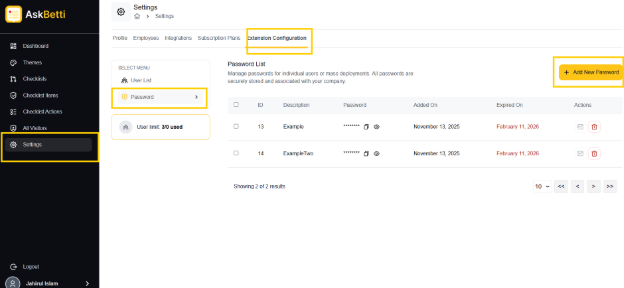
Go to Settings.
Click on Extension Configuration tab.
Click on Passwords tab
Cluck on + Add New Password
Enter a password.
Add a password description for identification.
Click on Add Password.
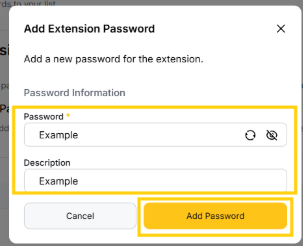
Extension password will be created.
If you have any questions or need further assistance, please contact our support team.