
Extension users are accounts that can be used with the browser extension. They can be added individually or imported in bulk.
To add extension users:
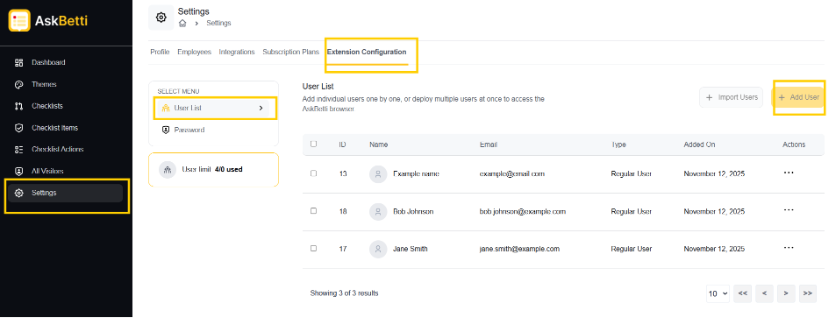
Go to the Settings and click on Extension Configuration tab. Here you will see a list of existing users.
Click on + Add New.
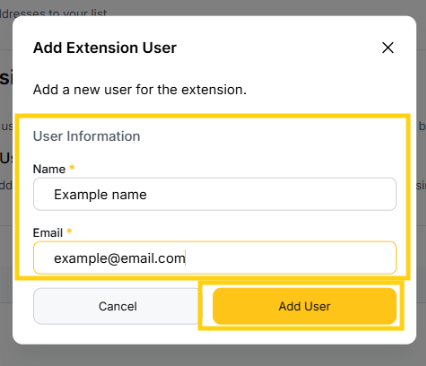
Enter name and email under User Information
Click on Add User.
User will be added.
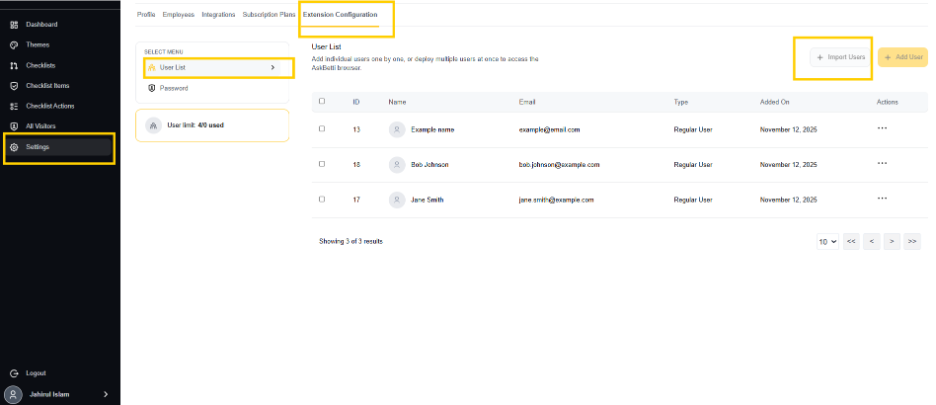
import users in bulk:
Click on + Import Emails
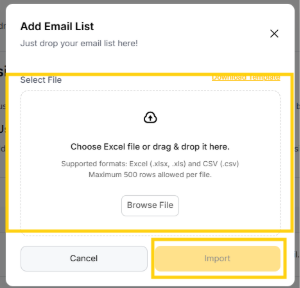
Cluck on Browse File to select file.(.xlsx, .xls, .csv are supported, and Maximum 500 rows per file allowed)
Click on Import after selecting a file.
Users will be imported.
If you have any questions or need further assistance, please contact our support team.