
A Tooltip is a small, contextual guidance box anchored to a specific element on the webpage using the Select Element function. They are ideal for providing brief, targeted instructions or explanations during a guided flow.
To use the 'Visual' tooltip template:
Open the extension and create a new checklist action.
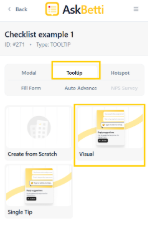
From the options, click on Tooltip as the action type.
Click on the Visual template.
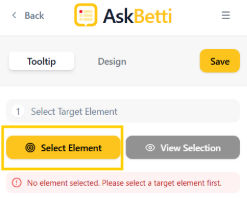
Click on Select Element, select an element where it should be placed on the page
A modal will appear, add contents/text there.
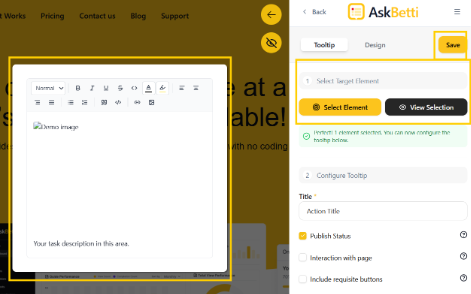
Click Save.
If you have any questions or need further assistance, please contact our support team.