
The Hotspot is a subtle, highlighted area designed to visually draw the user's attention to a specific element on the webpage. This action serves as a non-intrusive indicator to focus the user's eye on a critical area.
To use a Visual Hotspot template:
Open the AskBetti extension on your website.
Select the Checklist Item where you want to add the action.
Click the + Action button and choose Hotspot.
Select the Visual template from the options. 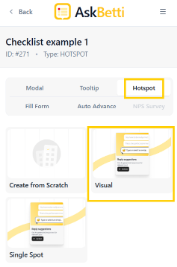
Click on Select Element button and then click on the webpage element you want to highlight. 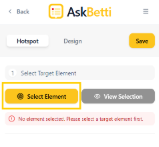
A modal will appear some contents, you can edit to fit your need. 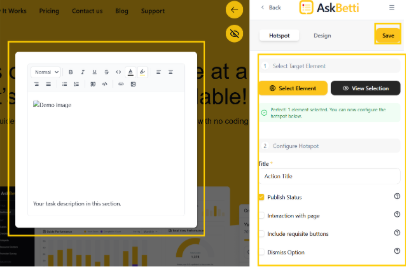
Click on Save.
If you have any questions or need further assistance, please contact our support team.