
A Modal is a highly customizable popup window that appears over the main webpage content to deliver rich information or announcements. It offers various templates and a content editor for creating versatile visual experiences.
This template provides a layout with three columns, perfect for breaking down a process into three main steps.
To use the Three Columns template:
Open the AskBetti extension on your website.
Select the Checklist Item you want to add a modal to.
Click the + Action button.
Choose Modal as the action type.
Select the Three Columns template.
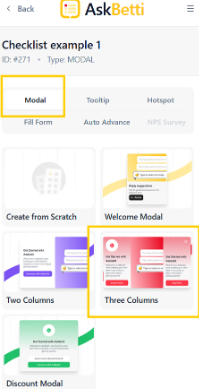
The modal will appear with a three-column layout that you can now customize with your own content.
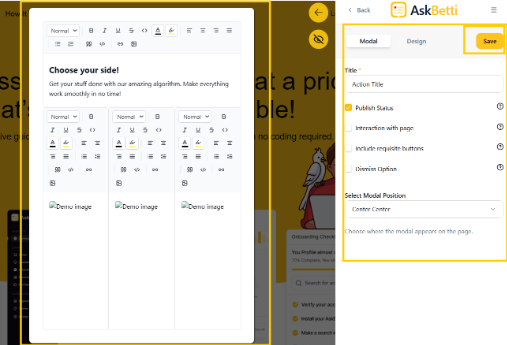
Click on Save.
If you have any questions or need further assistance, please contact our support team.