
A Modal is a highly customizable popup window that appears over the main webpage content to deliver rich information or announcements. It offers various templates and a content editor for creating versatile visual experiences.
 To create a modal from scratch:
Open the extension and create a new checklist action.
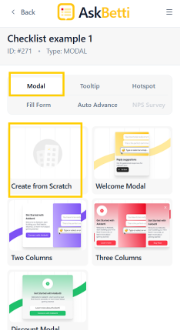
From the options, choose Modal as the action type.
Click on the Create from scratch option.
A blank modal will appear on your page, and you can now add your own text and content.
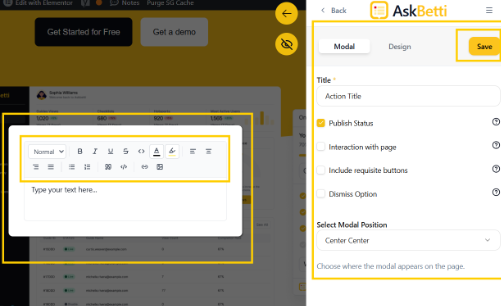
After that, click on Save.
If you have any questions or need further assistance, please contact our support team.