
A Modal is a highly customizable popup window that appears over the main webpage content to deliver rich information or announcements. It offers various templates and a content editor for creating versatile visual experiences.
To change Modal positon:
Open the AskBetti extension and select a Checklist Item
Navigate to the Modal action you want to edit.
In the configuration panel on the right, ensure you are on the Modal tab.
Scroll down to the Select Modal Position dropdown menu.
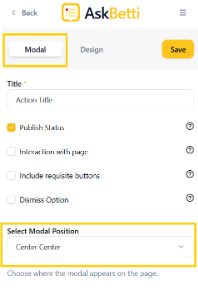
Choose your desired position from the list to change where the modal appears.
Click Save
If you have any questions or need further assistance, please contact our support team.