
A quit icon allows users to easily dismiss an action. You can add one and customize its color from the design settings. This setting is available for Modals, Tooltips, and Hotspots.
To add quit icon:
Open the AskBetti extension and select the action you want to edit, or create new one by clicking on + Action.
Click on the Design tab in the configuration panel.
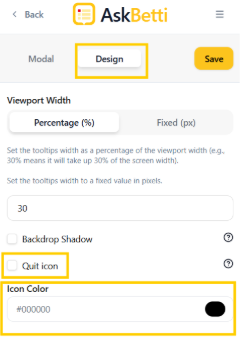
Check the box next to Quit icon.
You can also use the color picker below to change the Icon Color to match your design.
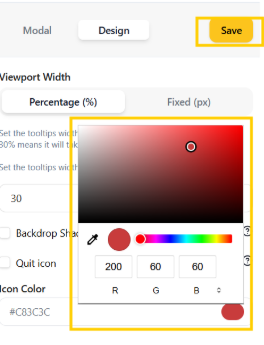
Click on Save.
If you have any questions or need further assistance, please contact our support team.